
Skip to content
Reseller guidance

Max OTT V12.
A clearer way to start.

Follow our Max OTT panel guides to prepare your reseller setup, from choosing credits to understanding customer renewals.

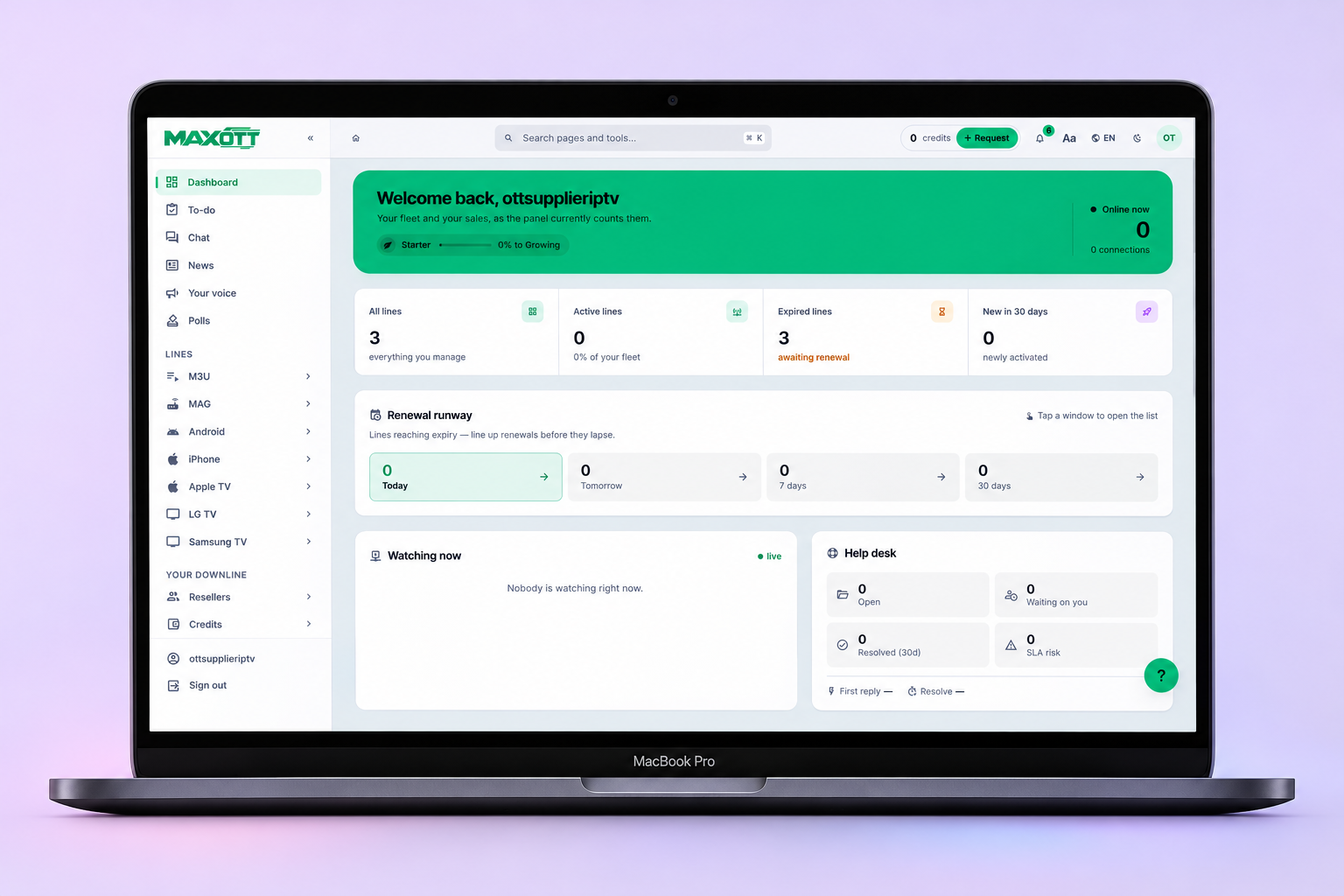
Max OTT panel dashboard displayed in a MacBook mockup

The Max OTT reseller dashboard.

Before your first customer line

1

Choose your package

Think about how many customer lines you expect to manage, then confirm the price and credit rules for the package.

2

Confirm your access

Know which login belongs to the reseller panel and which details belong to a customer’s player. Keep both private.

3

Check the customer’s setup

Confirm the device, compatible app, activation method and intended duration before creating access.

4

Review the deduction

Check the confirmed credit table before creating or renewing a line. Keep track of its expiry date.

Read the credit guide

Need help with a specific step?

Prepare your question with the device, app and task involved. Never include passwords, private playback links or customer information in an enquiry.

Prepare a support question

Your panel.
Your next move.

Explore the Max OTT reseller offer, understand your credits and choose a package that fits.

Explore credit packages